

AI copilot for interviews and calls · Windows
Answers, a beat ahead.
A private copilot for interviews and calls. It hears the question and drafts your answer while they are still talking.
Works with any call app on Windows ZoomGoogle MeetMicrosoft TeamsWebexSlack
ScrollOn the call
It listens. You lead.
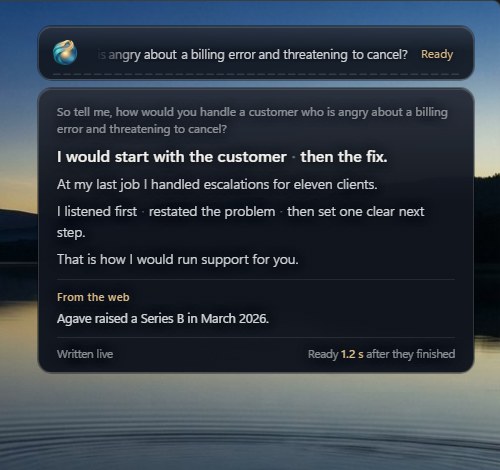
Undertone hears both sides of the call. The moment a question lands, a draft is already forming, built from your background, your notes and the way you talk.
Prepared answers to the questions you expected appear instantly. Everything else is written live: in our tests the answer starts on screen about a second after the question ends.
The real overlay, running in your browser.
Only you see it
Hidden from screen share and recording.
The overlay is left out of screenshots and screen capture at the Windows level. Tested against the three capture paths Windows offers, the ones Zoom, Meet and Teams use.
Your keys. Your data.
Audio goes to Deepgram and text to the AI you choose, on your own keys. We run no server between you and them, and keep no copy of your calls.
Practise before it counts.
A spoken practice interviewer asks real questions out loud, so the first time is never the real one.
Tested, not claimed
Same moment. Two views.
Left is your screen during a call. Right is what a screenshot, a recording or a screen share captures at the same moment. The overlay is simply not there.

Last tested 26 November 2026 on Windows 11, against all three ways Windows lets apps capture the screen (GDI, Desktop Duplication and Windows Graphics Capture). Left image taken with hiding switched off for the photo.
What it costs
No $150-a-month subscription.
The live-answer tools people pay for today charge $75 to $150 a month, and keep your calls on their servers. Undertone runs on your computer with your own AI keys: a typical interview costs well under a dollar in AI usage, and the providers' free credit covers most people starting out.
| Undertone | Most subscription tools | |
|---|---|---|
| What you pay | Undertone, plus your own AI usage | $75 to $150 a month, often renewing |
| Where your calls go | Only to the AI providers you choose, on your keys | Through the vendor's servers |
| Hidden from screen share | Included, and tested | Often the top plan only |
| Prepared answers before the call | Researched and written for you | Varies |
| Sounds like you | Learns how you talk | Generic phrasing |
| Platform | Windows now, Mac planned | Usually Mac first |
Prices of other tools as listed on their sites in November 2026. Final Undertone pricing is announced at launch.
Before the call
Prepare once. Walk in ready.
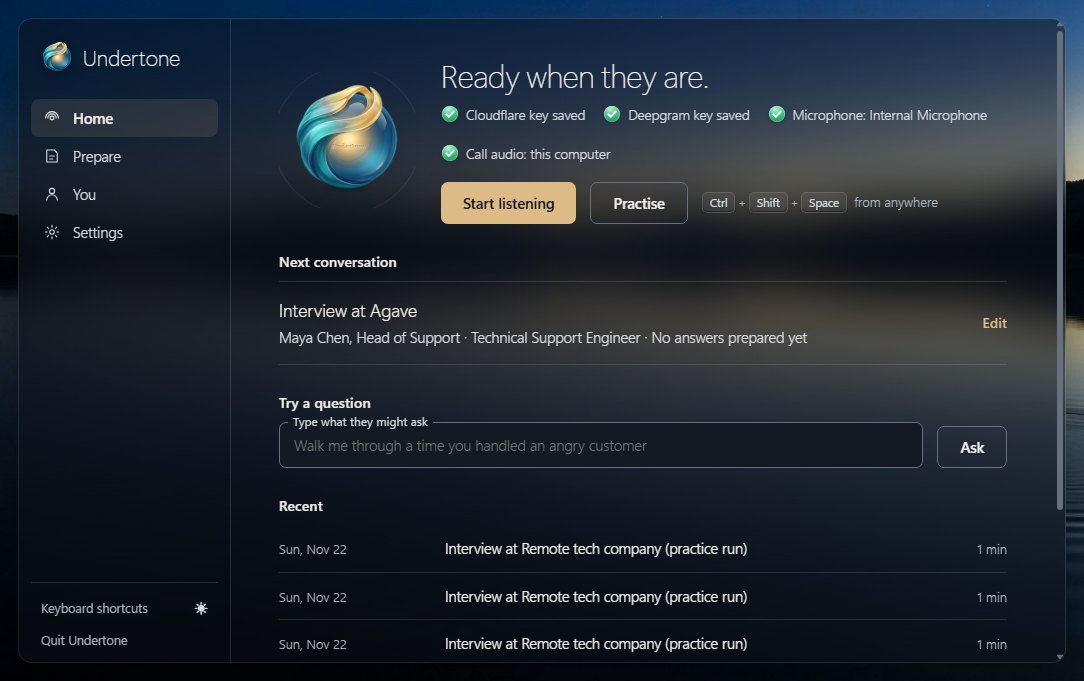
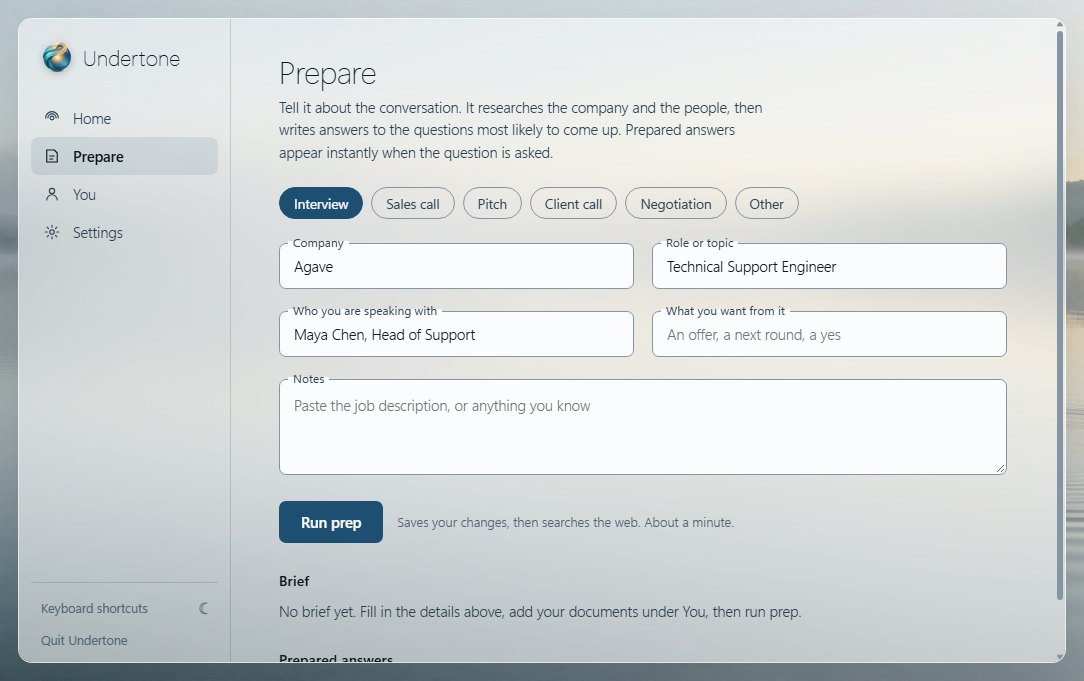
Tell it about the conversation. It researches the company and the people, then writes answers to the questions most likely to come up.
Questions
Straight answers.
Can the other person see it?
Not through a screen share, recording or screenshot: Windows leaves the overlay out of the captured image, and we test that. Anyone looking at your screen in person, or a camera pointed at it, can see it. Exam proctoring software that monitors your whole computer is a different thing, and we make no claims about it.
Does it work on Mac?
Not yet. Undertone is Windows first (Windows 10 version 2004 or later, and Windows 11). Mac is planned.
What are the keys, and do I have to pay for them?
Undertone uses Deepgram to turn speech into text and an AI provider such as Groq to write answers. Both give free credit to start; setup takes about two minutes and the app checks each key for you. Your keys stay on your computer, encrypted by Windows.
What will Undertone cost?
We will announce pricing at launch. It will not be a $150-a-month subscription, and everyone on the waitlist gets founding-member pricing.
Does it record my calls?
It keeps the transcript of your own sessions on your computer, so you can review them and so it can learn how you talk. Nothing is sent to us. Audio and text go only to the providers you chose, on your keys.
Is it allowed?
That depends on where you use it. Some interviews and exams forbid any outside help; respect those rules, and tell people wherever the law or the setting requires it. The built-in practice interviewer is there so you can prepare without any of those questions.
Be first in.
Undertone is coming to Windows first. Join now for founding-member pricing at launch, and share your link to bring friends in with you.